

Skip to content

SAP Business One for Warehousing & Logistics

With SAP Business One, you can centrally manage inventory, storage locations, and goods movements in a single ERP system. From goods receipt to stock transfers and order picking, all the way to goods issue and inventory counts, you can create transparent warehouse processes and maintain up-to-date inventory information.
SAP Business One Lager 04 Versandvorbereitung ANG | ANG
  • Home page
  • /
  • SAP Business One Inventory & Logistics

SAP Business One for Warehousing & Logistics

Keep track of inventory. Ensure goods move reliably.

Whether it’s purchasing, production, or sales: Many business processes converge in the warehouse. SAP Business One links inventory, storage locations, and goods movements with upstream and downstream business processes, creating a unified database.
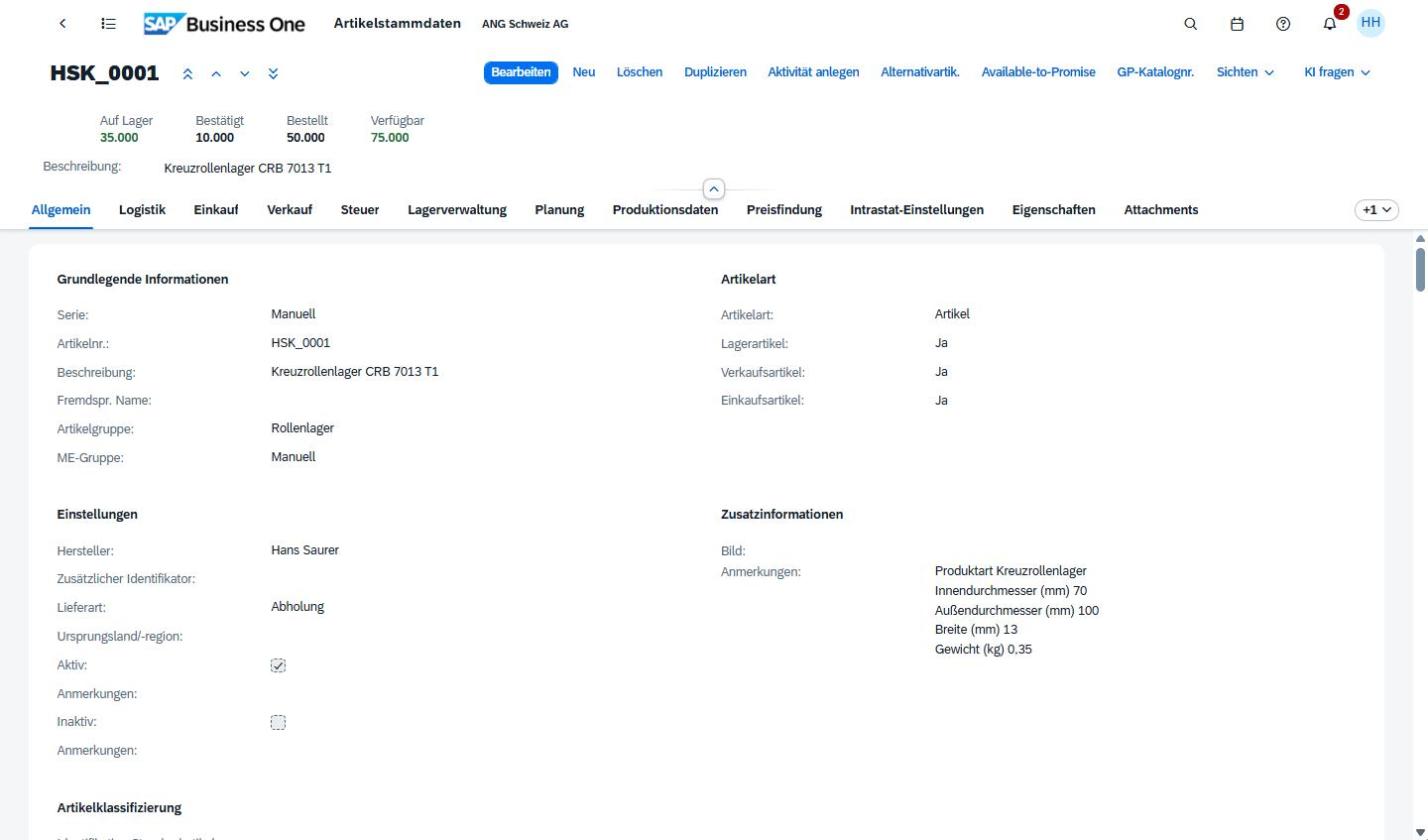
Current Inventory

Keep track of existing and available quantities across all warehouses.

Transparent Inventory Movements

Track goods receipts, goods issues, and stock transfers centrally and with full traceability in SAP Business One.

Structured Warehousing

Organize inventory by warehouse and storage location, and create clear structures for your operational warehouse processes.

End-to-End Processes

Connect warehousing and logistics directly with purchasing, production, and sales to create seamless flows of goods and information.

From Goods Receiving to Shipping

Whether it’s purchasing, production, or sales: Many business processes converge in the warehouse. SAP Business One links inventory, storage locations, and goods movements with upstream and downstream business processes, creating a unified database.
  • Order

  • Goods Receipt

  • Inventory Management

  • Order Picking

  • Goods Out

  • Payment

Learn About Warehouse and Logistics Roles

INVENTORY MANAGEMENT

Keep Track of Inventory at All Times

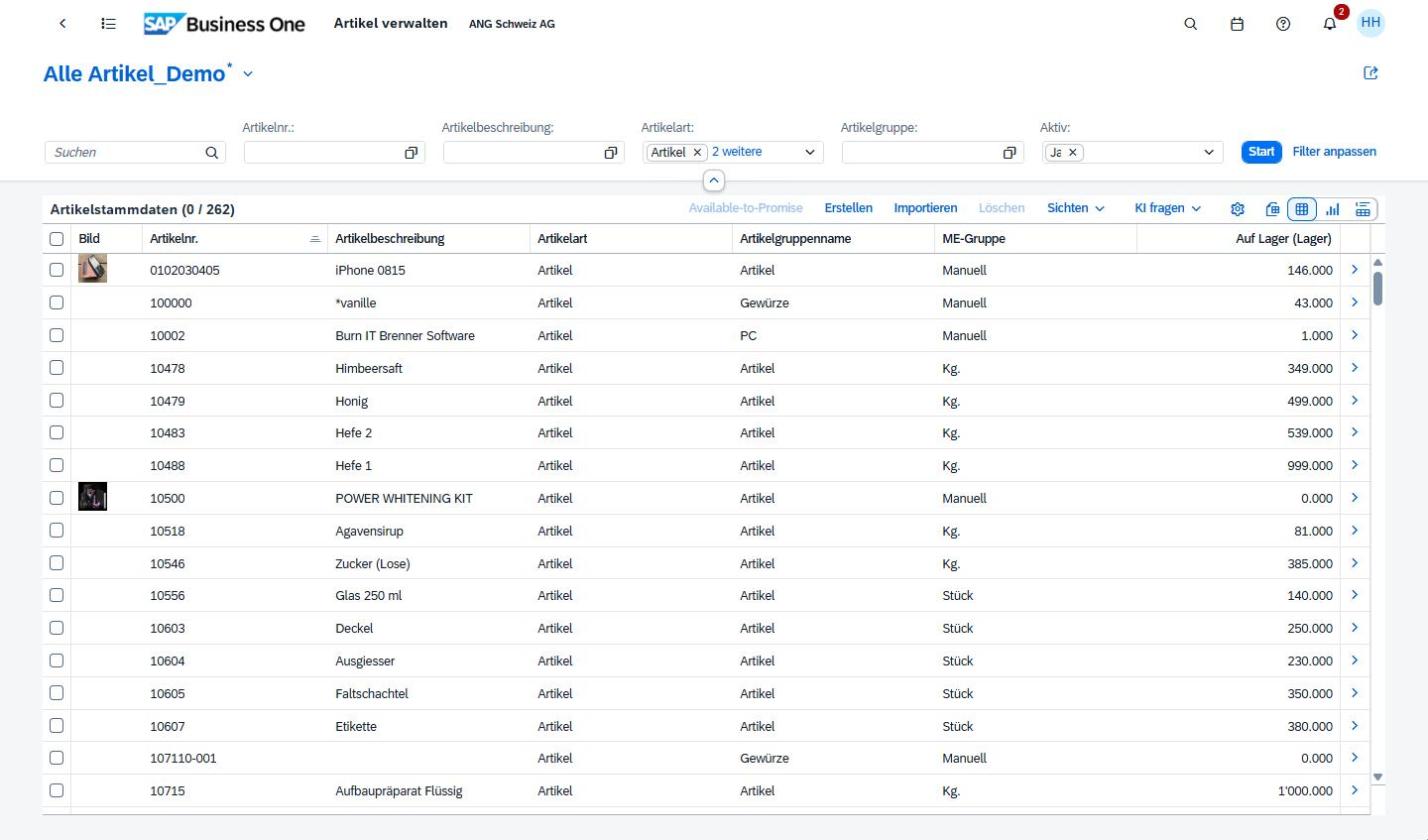
With SAP Business One, you can centrally manage your inventory and gain transparency into quantities, availability, and inventory movements. Up-to-date information on items and inventory is available across multiple warehouses and can be used directly in related business processes. This creates a reliable data foundation for purchasing, sales, production, and logistics.
Inventory Overview
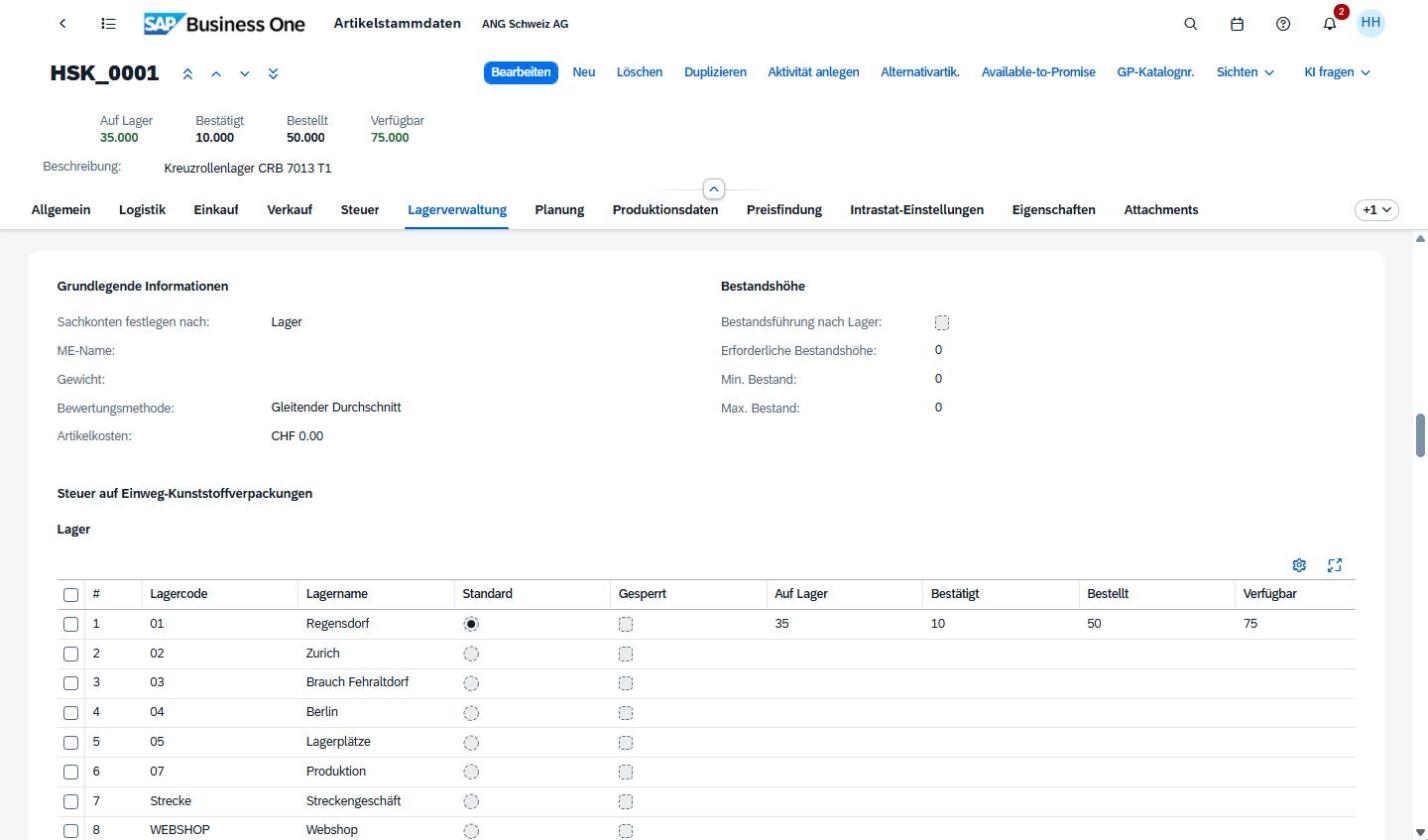
Keep a centralized view of current inventory levels, available quantities, and changes across all your warehouses.
Multiple warehouses
Manage inventory across multiple warehouses and gain transparency into inventory distribution.
Product Management
Link inventory levels directly to your product master data and use centralized information for downstream processes.
Inventory Movements
Keep a clear record of incoming and outgoing items and stay on top of changes in your inventory at all times.

INCOMING & OUTGOING GOODS

Track Goods Movements End-to-End

With SAP Business One, you can track goods receipts and goods issues directly in the ERP system and update your inventory with every goods movement. These transactions can be linked to the corresponding purchasing, sales, or production processes, ensuring they remain transparent and traceable. This allows the physical flow of goods and digital business processes to integrate seamlessly.
Goods Received
Record incoming goods directly in the system and update the corresponding inventory levels without any additional steps.
Goods Out
Centralize the tracking of goods withdrawals and disposals, and ensure that inventory information is up to date throughout the entire company.
Document Retrieval
Link inventory movements to the corresponding purchasing, sales, or production documents to create end-to-end processes.
Returns
Track returns from purchasing and sales in a structured manner and maintain a clear record of the resulting inventory movements.

STORAGE LOCATIONS & TRANSFERS

Manage goods where they are actually located

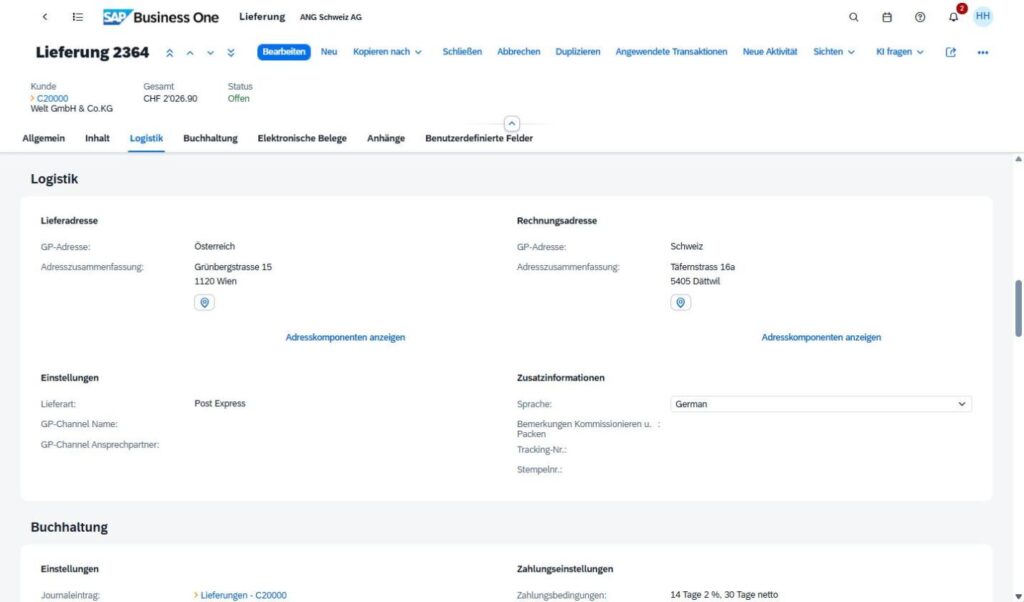
With SAP Business One, you can organize your inventory down to the storage location level and gain transparency into which items are available, in what quantities, and at which locations. Goods can be transferred between warehouses and storage locations, and the resulting inventory movements can be documented directly in the system. This creates a reliable foundation for putaways, picks, order fulfillment, and other warehouse processes.
Storage Areas
Assign items and inventory to designated storage locations and create clear structures for your daily warehouse operations.
Stock transfers
Move goods between warehouses and storage locations, and record every inventory transaction directly in the system.
Inventory Distribution
Quickly identify which warehouse or warehouse area contains the items you need and their available quantities.
Warehouse Structure
Create a reliable foundation for putaways, pickups, order picking, and other operational warehouse processes.

BATCHES & SERIAL NUMBERS

Trace goods seamlessly

With SAP Business One, you can manage batch- and serial number-tracked items directly within your warehouse processes. Incoming and outgoing goods can be assigned to the respective batches or serial numbers and tracked throughout their inventory movements. This creates greater transparency and supports traceability throughout your goods and logistics processes.
Batch Management
Manage lot-based items centrally and link lot information directly to the corresponding inventory movements.
Serial Numbers
Assign unique serial numbers to items and track their movements within your warehouse processes.
Traceability
Make it clear when and where batches or serial numbers were added, transferred, or removed from inventory.
Inventory Check
Link batch and serial information to your inventory and create additional transparency at the item level.

ORDER PICKING

Efficiently preparing orders for delivery

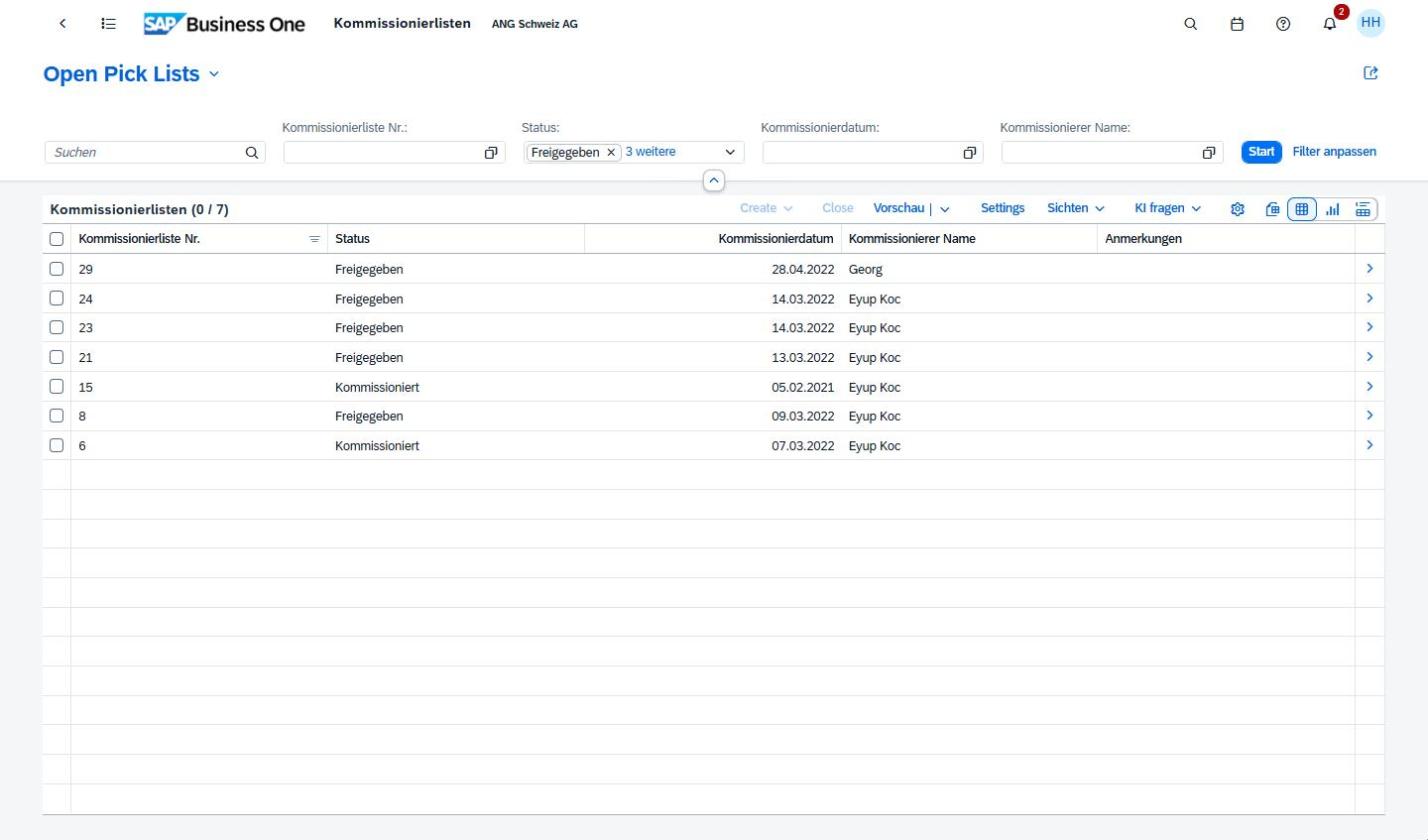
With SAP Business One, you can organize the picking and staging of goods in a structured manner based on your customer orders and delivery orders. Required items can be specifically selected and prepared for packaging and shipment. This allows you to integrate warehousing, sales, and shipping into a seamless process from order placement to delivery.
Order-Based Picking
Organize the goods you need in a structured manner based on your customer orders and purchase orders for further processing.
Pick & Pack
Group picked items and efficiently prepare the goods for packaging and shipment.
Order Reference
Link order picking directly to the corresponding sales and shipping processes in the ERP system.
Shipping Preparation
Transfer picked goods to the goods-out area in an organized manner and create a seamless process all the way through to delivery.

INVENTORY

Reliably Record and Reconcile Inventory

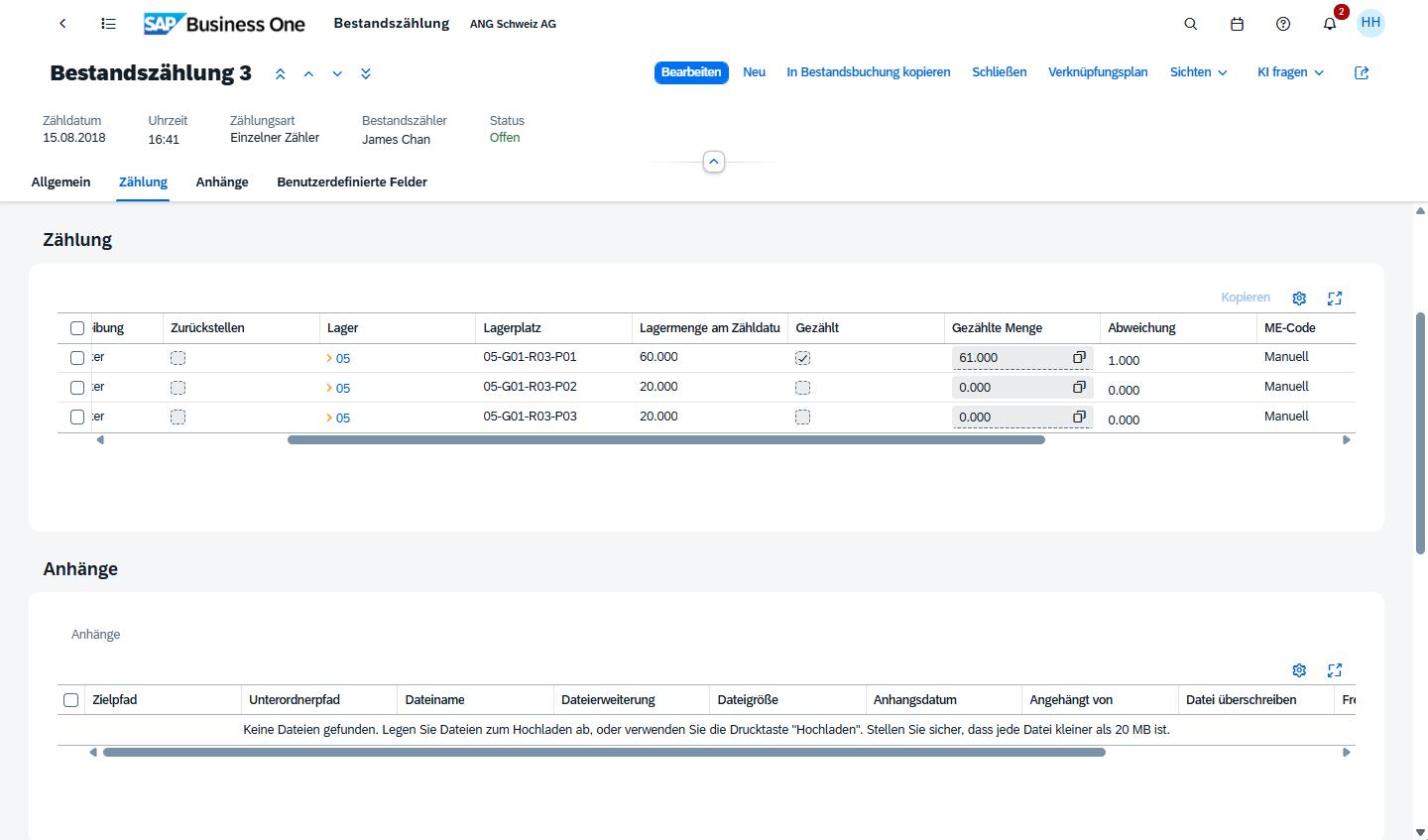
With SAP Business One, you can manage your inventory and physical counts directly within the warehouse management system. Physically recorded quantities can be compared with the inventory levels tracked in the ERP system, and any discrepancies can be transparently reviewed. After the verification, any necessary corrections can be posted in a traceable manner, and the actual inventory levels can be reconciled with the system inventory.
Inventory Count
Record the actual quantities on hand, organized by item and inventory location, as the basis for your inventory count.
Target vs. Actual Comparison
Compare physically counted quantities with the inventory levels tracked in SAP Business One and identify discrepancies.
Difference Check
Review any inventory discrepancies you identify in a systematic manner before making the necessary adjustments in the ERP system.
Inventory Entry
Transfer verified discrepancies to inventory management in a traceable manner and ensure that inventory levels are up to date again.

AI IN WAREHOUSING & LOGISTICS

What if your procurement could think for itself?

SAP Business One provides the data foundation. Building on this foundation, AI and intelligent automation open up new possibilities for processing documents more quickly, providing structured data, and automating recurring purchasing processes.
AN Group KI Header Video Logistik | ANG
ANG KI Siegel Logo mit Slogan transparent | ANG

// FROM REAL-WORLD EXPERIENCE

See how companies grow with SAP

From mobile inventory management to complex goods flows: Companies use SAP Business One and ANG to digitally transform inventory, goods movements, order picking, and logistics processes end-to-end.
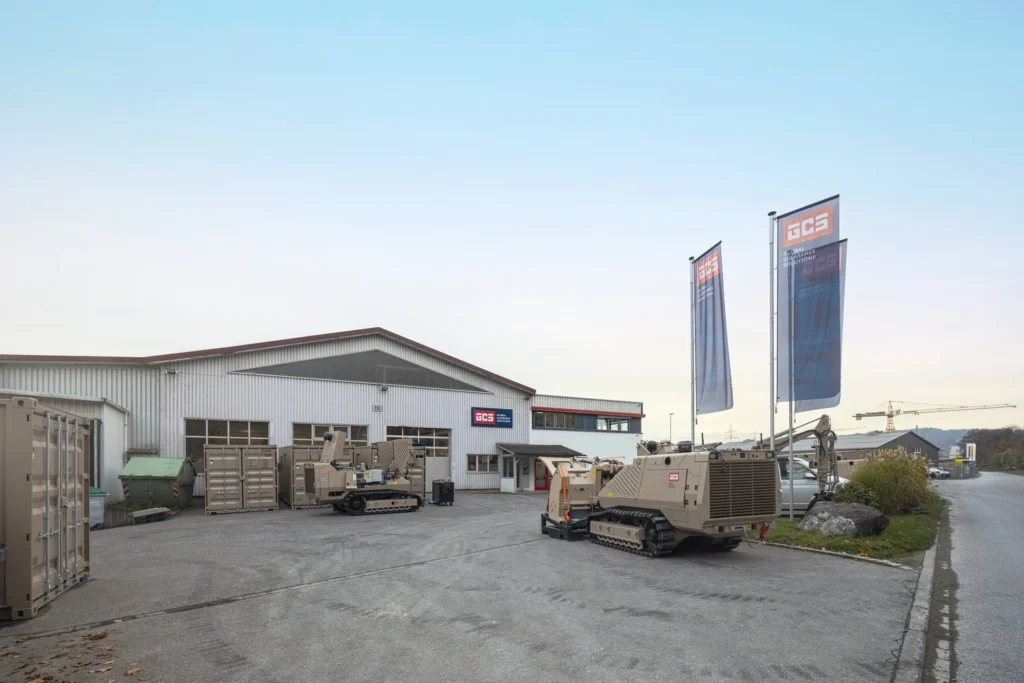
ANG | Haus Global Clearance Solutions AG
Global Clearance Solutions AG: Intelligently Connecting Complex Logistics Processes
SAP Business One integrates project, production, and business processes into a single database. This results in transparent workflows, greater delivery capability, and improved control over logistics processes.
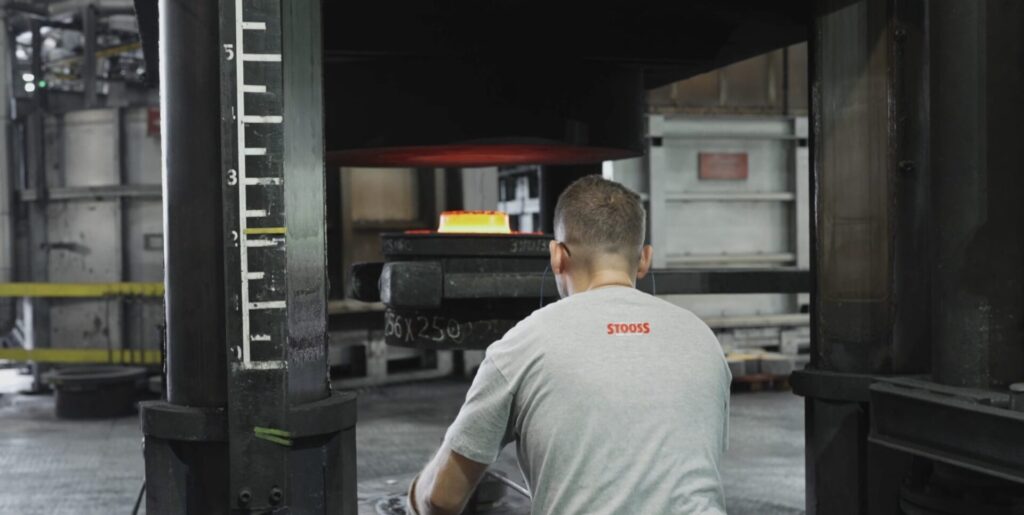
ANG | Photo 2
Stooss AG Forge: Stooss AG Forge
Through digitized processes and up-to-date company data, Schmiedewerk Stooss lays the groundwork for more efficient operations, greater transparency, and better management of resources and material flows.
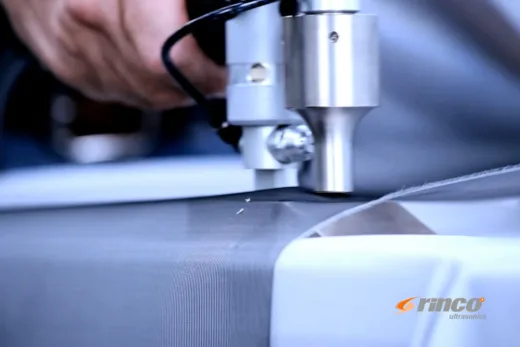
ANG | RINCO ULTRASONICS AG 02
RINCO Ultrasonics AG: Intelligently Connecting International Processes
A centralized database provides transparency across processes, resources, and business units. This creates the conditions for data-driven analysis, more efficient workflows, and well-informed decisions.
ANG | SAP Platinum Logo

SAP Business One with ANG

SAP Business One Expertise for Warehousing & Logistics

As an SAP Platinum Partner, ANG combines in-depth SAP Business One expertise with a comprehensive understanding of business processes. From the initial consultation through implementation and integration to ongoing development, we support you with our experience and personalized service.

Consulting & Process Design

We analyze your workflows and customize SAP Business One to fit your processes and requirements.

Support & Further Development

We work with you to continuously enhance your SAP Business One solution to meet your warehouse and logistics needs.

Implementation & Optimization

We implement SAP Business One in a structured manner and systematically refine existing solutions and warehouse processes.

Integration & Automation

We provide long-term support for your solution and continue to develop SAP Business One in line with your requirements.

ERP FOR WAREHOUSES & LOGISTICS

SAP Business One as an ERP System for Warehousing and Logistics

SAP Business One helps midsize companies integrate warehouse management, inventory control, and logistics processes with purchasing, sales, production, and finance in a single, centralized ERP system.

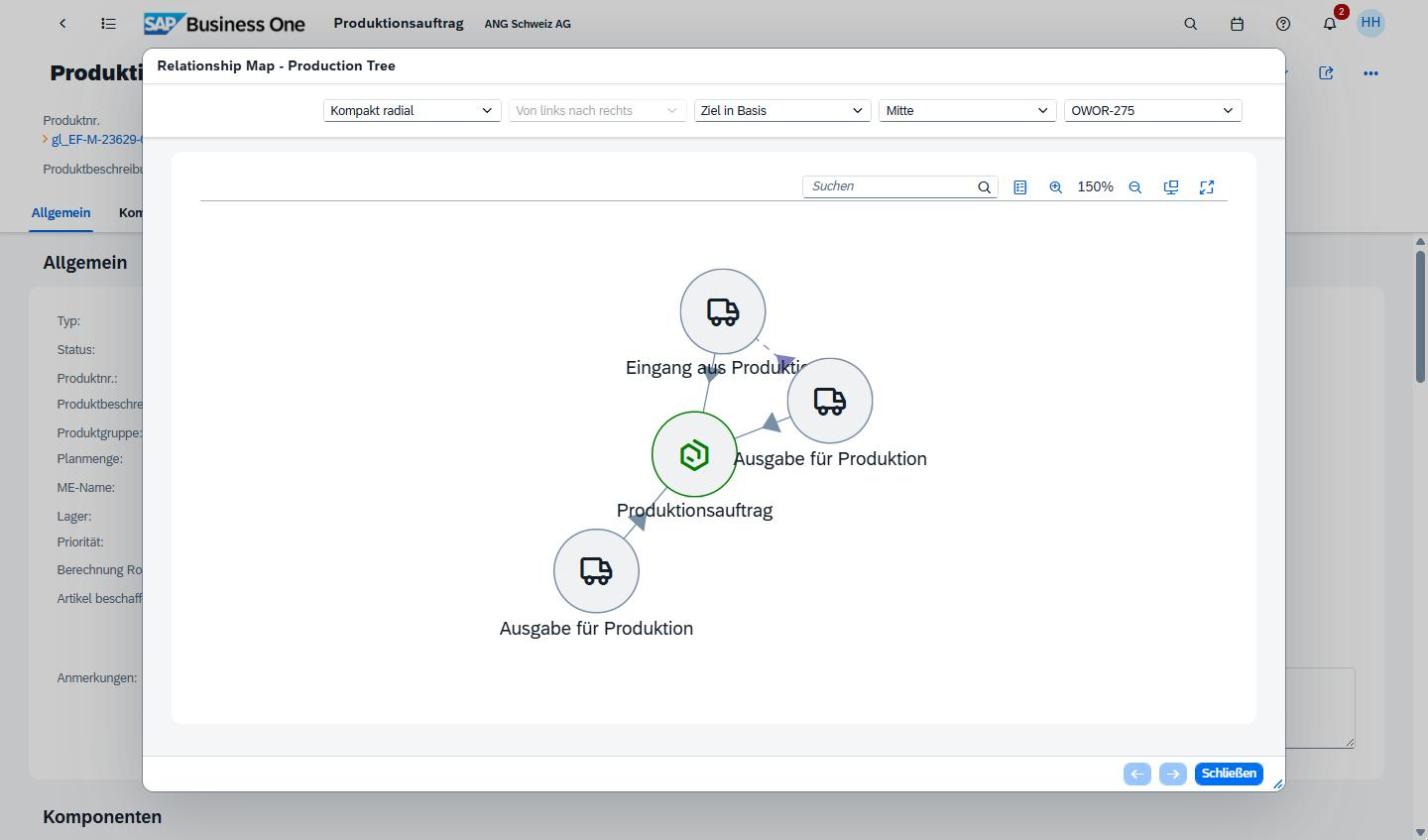
Items, inventory levels, and goods movements are not considered in isolation. A goods receipt from Purchasing changes the inventory level, stock transfers represent internal goods movements, and order picking prepares the necessary items for subsequent delivery processes. This creates a seamless connection between the physical flow of goods and the associated business processes—

Features such as goods receipt and goods issue, storage locations, stock transfers, batch and serial number management, order picking, and inventory counting provide a central foundation for transparent warehouse processes. This gives companies up-to-date information on their inventory and enables them to integrate warehouse operations more closely with purchasing, sales, and production.

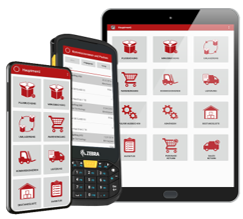
For more advanced requirements, SAP Business One can be supplemented with mobile and specialized warehouse solutions. With COBI.wms, for example, warehouse processes can be managed directly via a scanner and integrated with SAP Business One.

From Concept to Implementation

Tailored Extensions for SAP Business One to Support Your Warehouse Logistics

Enhance SAP Business One with solutions for mobile warehouse management, more complex logistics processes, product data, and intelligent automation.
Here’s how to digitize additional workflows throughout your warehouse and logistics processes.
COBI.wms
Manage warehouse processes on the go and efficiently
Process goods receipts, stock transfers, order picking, and inventory counts on the go, with a direct connection to SAP Business One.
AI in Warehousing & Logistics
Intelligently Automating Logistics Processes
Use SAP data with AI, automate recurring processes, and deliver relevant information faster.
🇨🇭 ExpoWin & ExpoVit
Automated Customs and Export Processes
Automate export and customs processes, generate the necessary documents, and transfer relevant data directly from SAP Business One.
Perfion PIM
Centrally Manage Product Information
Manage product information, technical data, and media in a centralized manner and provide consistent information for your business processes.
ANG | 001 Alexej on leave e1731680251740

Frequently Asked Questions About SAP Business One for Warehousing & Logistics

SAP Business One supports key warehouse management and logistics processes, including inventory management, goods receipts and shipments, storage locations, stock transfers, batch and serial number management, order picking, and inventory counts. These warehouse processes can be integrated with purchasing, sales, and production within a single ERP system.

Yes. SAP Business One is suitable for medium-sized companies that want to integrate inventory management and logistics with purchasing, sales, production, and finance. Goods movements, inventory levels, and the associated business processes all draw on a shared ERP database.

Yes. SAP Business One supports the management of different warehouse structures and storage locations. This makes it possible to track which warehouse or storage location contains specific items and inventory.

Yes. Batches and serial numbers can be tracked within the inventory management system and linked to inventory movements. This allows for the traceability of these items within warehouse and logistics processes.

SAP Business One supports functions for order picking and pick-and-pack. Items can be assembled for further processing based on the associated orders and then transferred to the shipping processes.

SAP Business One supports physical inventory counts and inventory postings. Quantities recorded during a physical count can be reconciled with the inventory levels maintained in the system, discrepancies can be reviewed, and any necessary adjustments can then be posted in a traceable manner.

Yes. With the right add-on solutions, such as COBI.wms, processes like goods receipt, stock transfer, order picking, and inventory counting can be handled on mobile devices and integrated directly with SAP Business One.

Yes. If the standard functions are not sufficient, SAP Business One can be supplemented with specialized warehouse and WMS solutions. This allows you to address more complex requirements related to warehouse structures, putaway processes, order picking, and other logistics operations.

SAP Business One data can be integrated with automated workflows, other applications, and AI. For example, ANG has its own SAP Business One node for n8n, which allows SAP data to be integrated into automated processes with other applications.

Add More Movement to Your Warehouse Processes

From goods receipt to storage locations and order picking to shipping: With SAP Business One, you can create transparent material flows and integrate your warehouse logistics with related business processes.