Skip to content

SAP Business One Sales & CRM

With SAP Business One Sales & CRM, you can manage customers, prospects, sales opportunities, and sales activities using a single, unified database. From the initial contact through the quote to the order, information and processes remain interconnected.

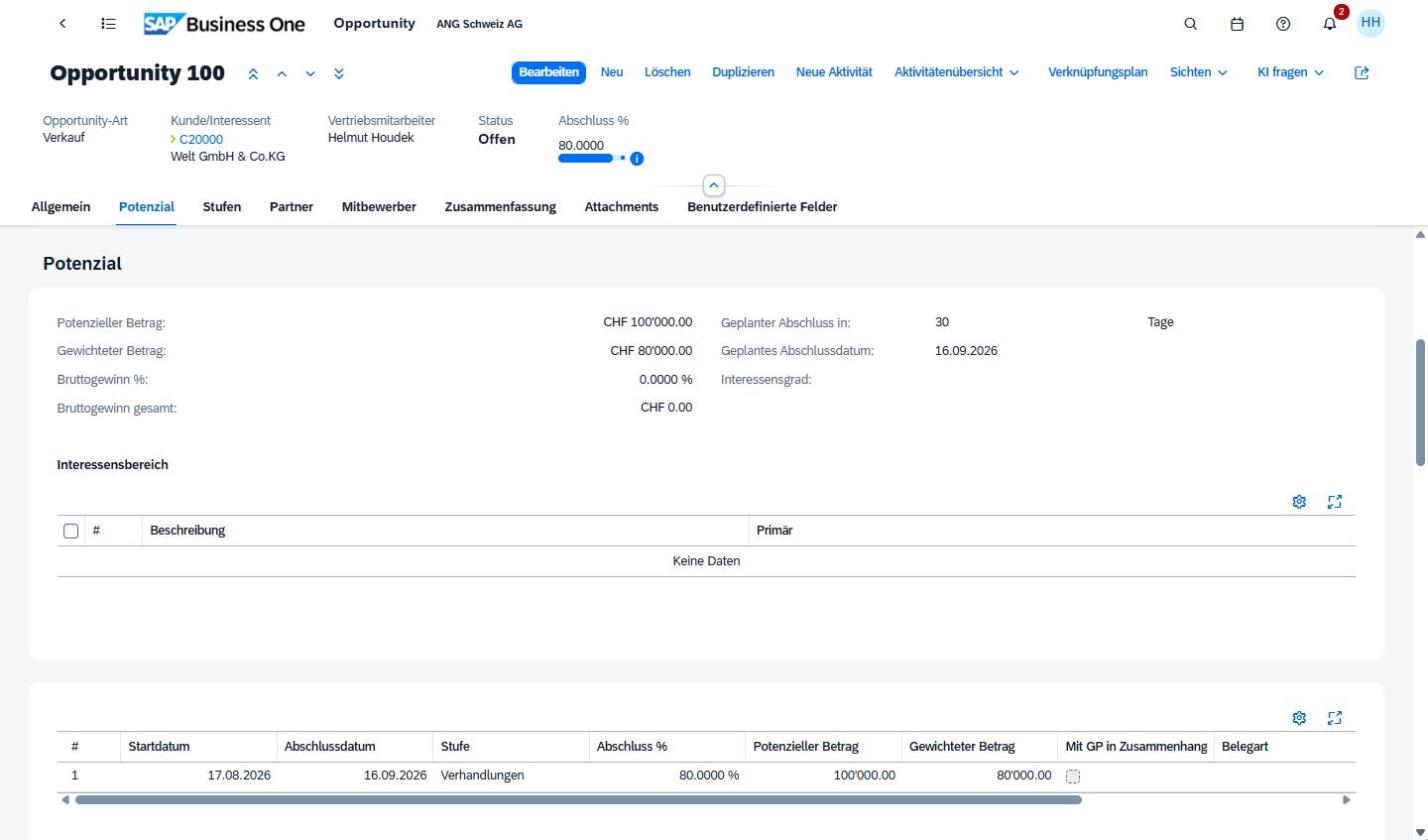
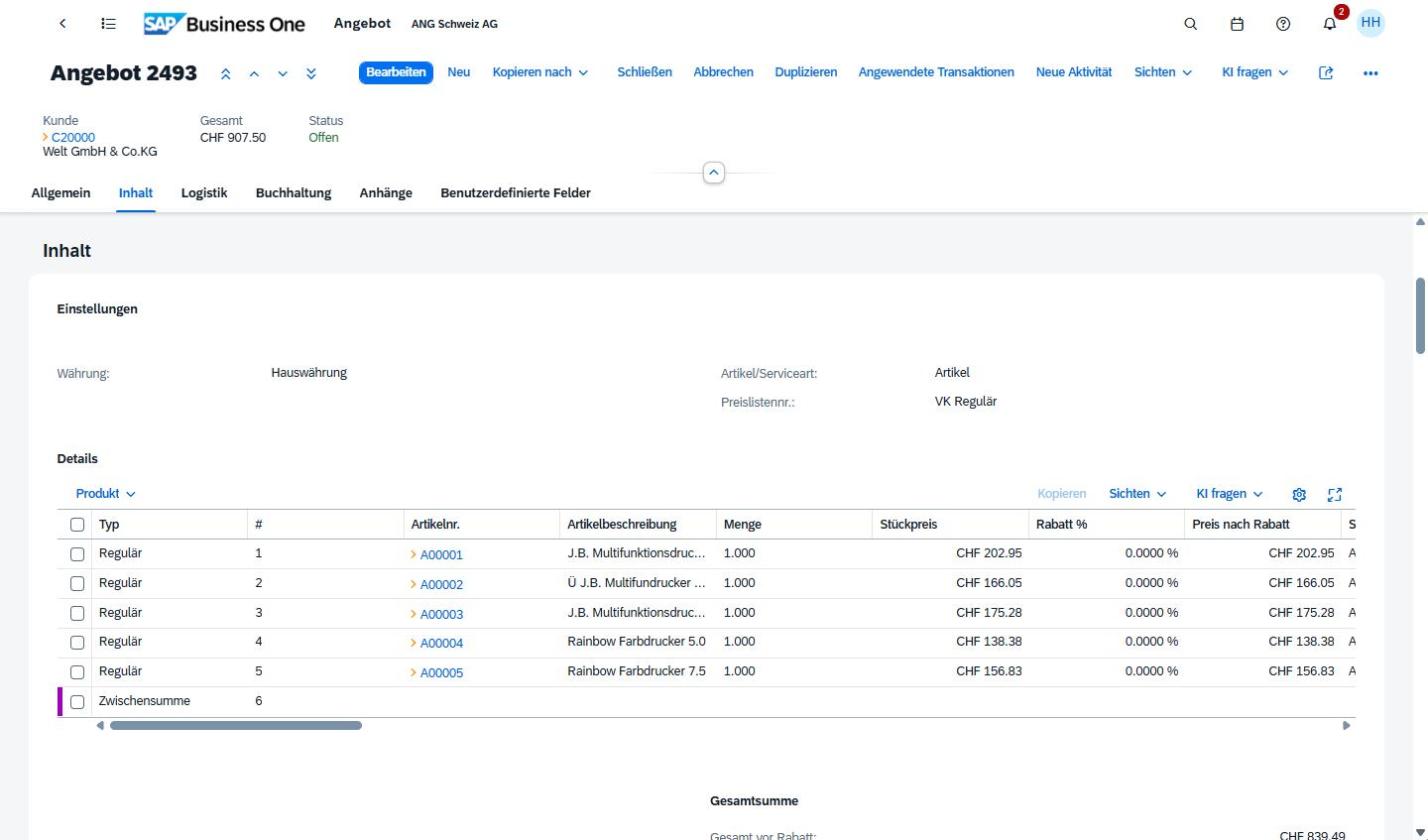
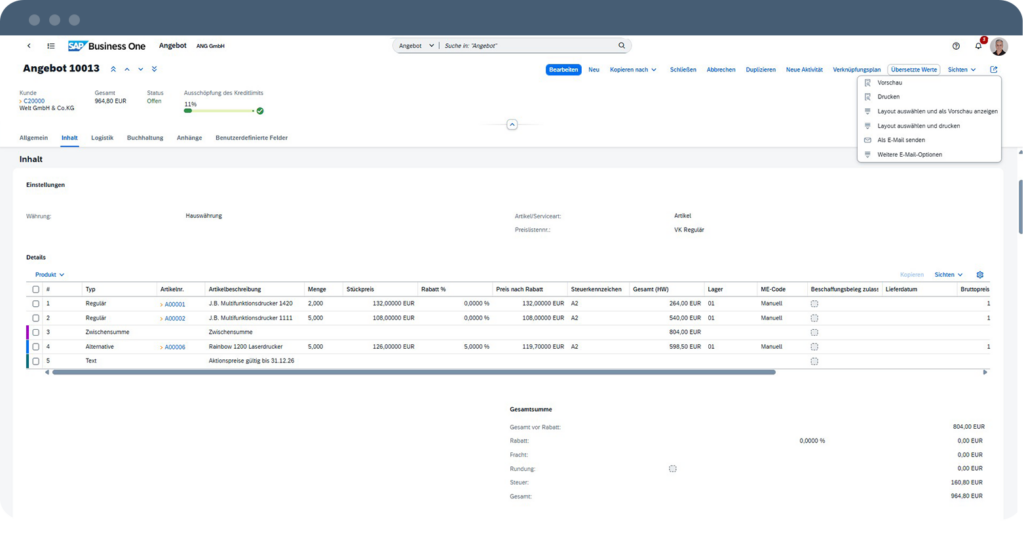
SAP Webclient Angebot in SAP Business One | ANG

SAP Business One Sales & CRM

Strengthen customer relationships. Streamline sales processes.

Sales operations run more smoothly when customer information, activities, and sales processes aren’t scattered across different systems. SAP Business One directly integrates CRM and sales with other business processes, creating a unified view of customers, opportunities, quotes, and orders.
Centralized Customer Data

Consolidate relevant information about prospects and customers in one place.

Transparent Opportunities

Systematically track sales opportunities and monitor their progress.

Related Activities

Document and plan phone calls, appointments, tasks, and other sales activities.

End-to-End Sales Process

Work from the quote through the order and delivery to the invoice using a shared ERP database.

From the First Contact to the Invoice

SAP Business One integrates CRM and sales with operational order processing. As a result, customer data and sales information do not end with the completion of a sale, but rather accompany the entire business process.
  • Prospective buyer

  • Activity

  • Opportunity

  • Offer

  • Order / Delivery

  • Invoice

  • Customer Growth

Learn About Sales & CRM Features

CUSTOMERS & PROSPECTS

Make customer information centrally available

With SAP Business One, you can manage customers and prospects using a single database. Contact information, addresses, and sales-related information are available centrally and can be linked to other business processes.
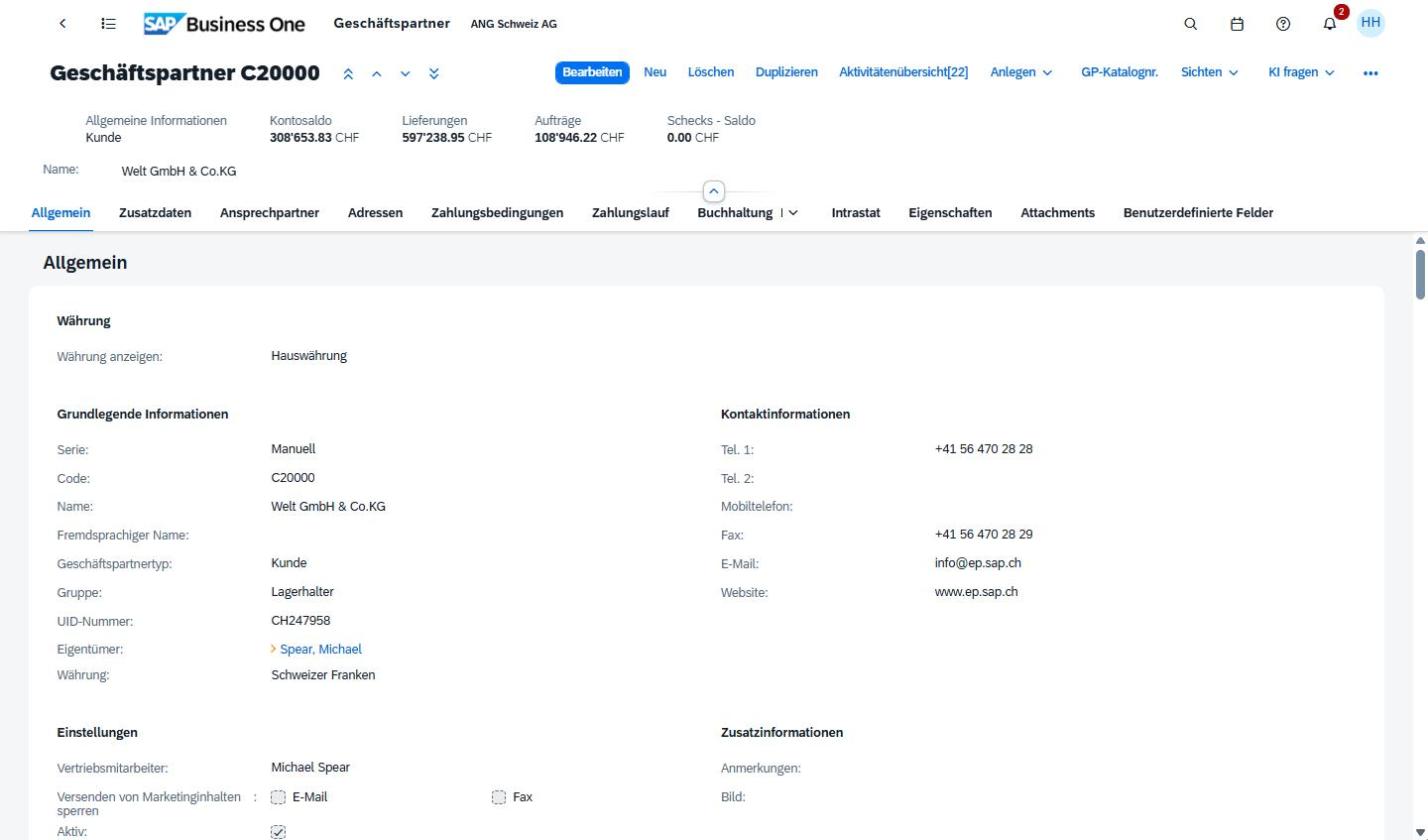
Manage Business Partners Centrally
Consolidate relevant customer and prospect data in SAP Business One.
Assign a Contact Person
Manage contacts and points of contact directly within the context of the respective business partner.
Track Customer History
Link activities and business transactions to the corresponding customer information.
Sharing Information
Create a unified information base for sales and related business units.

ACTIVITIES & EVENTS

Plan and document customer interactions in a structured manner

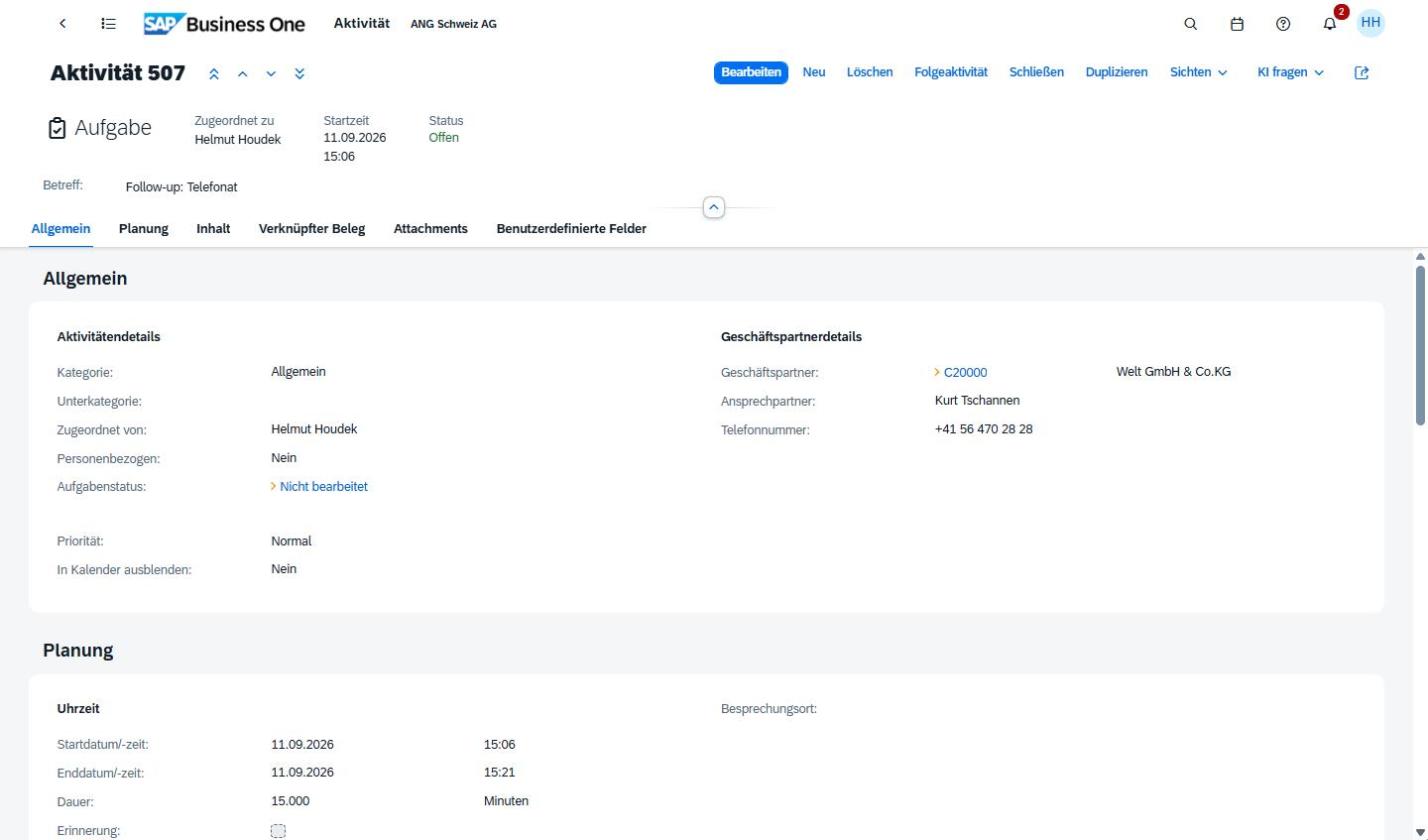
With SAP Business One, you can organize activities such as phone calls, appointments, and tasks directly within the CRM environment and assign them to customers or prospects. Reminders and calendar scheduling help the sales team track these activities in a structured way. This is also part of your internal sales training.
Record Activities
Keep a centralized record of phone calls, appointments, and other customer interactions.
Schedule Appointments
Schedule activities in your calendar and keep track of upcoming appointments.
Using Memories
Set reminders for relevant sales activities and tasks.
Build a customer history
Assign activities to the relevant business partners and sales processes.

SALES OPPORTUNITIES & PIPELINE

Track opportunities systematically through to closure

With sales opportunities in SAP Business One, you can track potential deals in a structured manner through defined opportunity stages. Opportunities can be assigned to specific phases and closing probabilities.
Manage Sales Opportunities
Create opportunities and link them to prospects or customers.
Define Sales Phases
Organize your sales process using opportunity stages tailored to your specific needs.
Assess the Probability of Completion
Assign probabilities and create a better foundation for evaluating your pipeline.
Trace the Development
Track the progress of an opportunity from the initial lead to the close.

QUOTES & ORDERS

From Quote to Order Without a Media Break

With SAP Business One, you can link quotes, sales orders, and downstream sales processes. This ensures that business transactions and related customer information remain available in a single ERP database.
Create Quotes
Create and manage customer quotes directly in the ERP system.
Transfer Customer Orders
Manage accepted offers in a structured manner as you move forward in the sales process.
Trace Document Chains
Integrate quotes, orders, shipments, and invoices into a single, end-to-end process.
Integrating Sales and ERP
Avoid an isolated CRM process and use the same data for subsequent operational processes as well.

PRICES & TERMS

Flexibly Map Terms and Conditions in the Sales Process

With SAP Business One , price lists, discount groups, and business partner-specific terms can be incorporated into the sales process. In the current Web Client, for example, price lists can be maintained using base price lists and factors, and discount groups can be defined for various contexts.
Price Lists
Manage different pricing structures for your sales processes.
Customized Prices
Please take special prices and individual business partner terms into account.
Discount Groups
For example, define discounts based on customers, customer groups, manufacturers, or items.
Understanding Pricing
Create greater transparency regarding the prices and terms used in the sales process.

REPORTING & ANALYSIS

Understand Sales Data and Leverage Opportunities More Effectively

With SAP Business One, you can use customer, opportunity, and sales data for analysis and sales management. This turns individual sales insights into a better foundation for decision-making and determining next steps.
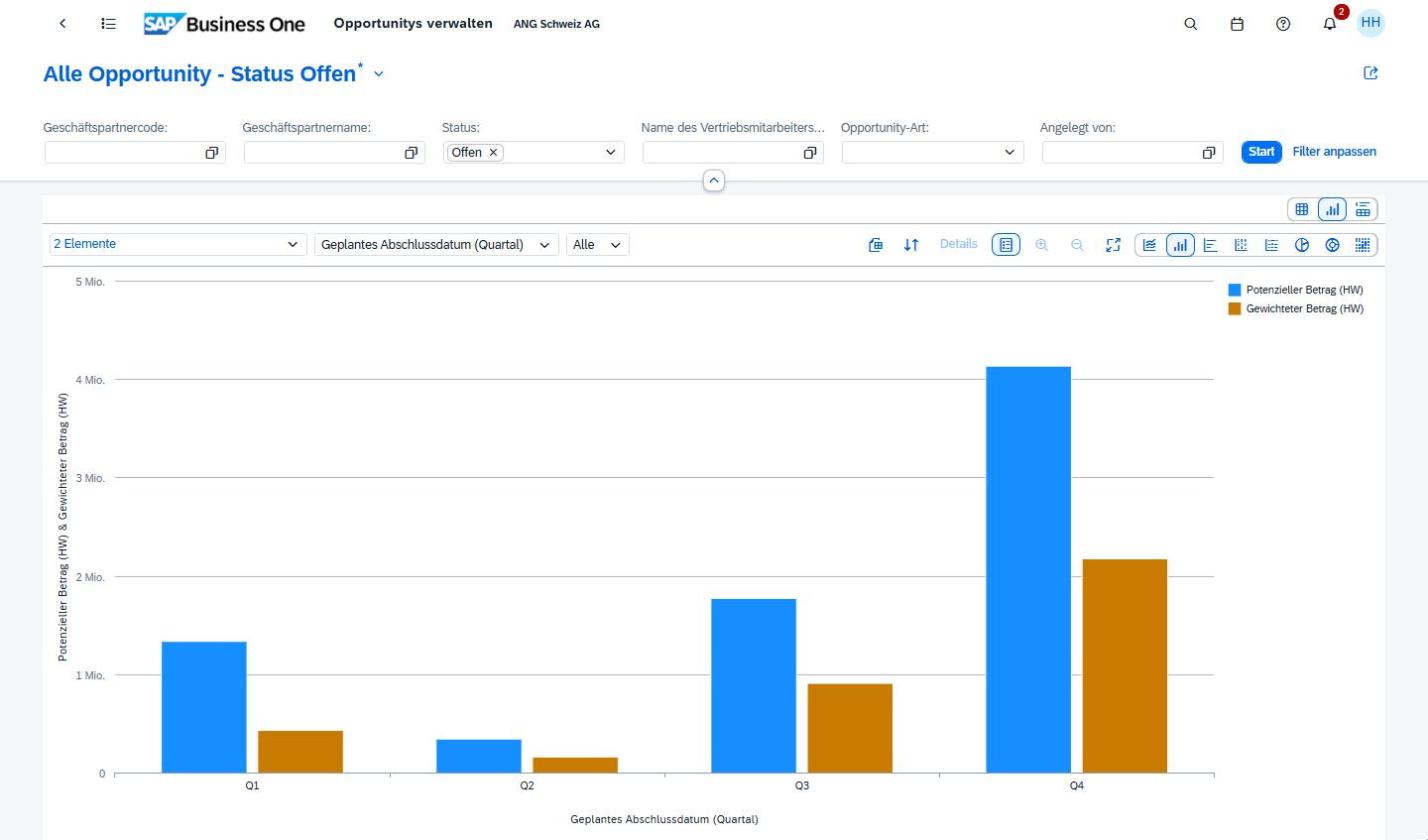
Analyze the pipeline
Keep track of the progress of your sales leads and current opportunities.
Evaluate Sales Activities
Use existing sales information to make activities and developments more transparent.
Understanding Customer Trends
Link customer information to business transactions and take a more holistic view of customer relationships.
Support decision-making
Use up-to-date ERP and sales data as the basis for planning and sales management.

AI IN SALES

What if your sales team could make better use of its data?

SAP Business One creates a central database for customers, products, and sales processes. Building on this foundation, AI and intelligent automation open up new possibilities for accessing information more quickly, automating recurring processes, and providing more targeted support for sales.
AN Group KI Header Video Vertriebsprozesse | ANG
ANG KI Siegel Logo mit Slogan transparent | ANG

// SAP Business One in Sales

See how companies grow with SAP

Learn how companies use SAP Business One to structure their sales processes, make customer information centrally available, and integrate sales with operational order processing.
ANG | Eiszeit GmbH 3
EISZEIT GmbH: Efficiently Managing Customer Inquiries and Order Processes
Centralized data and end-to-end processes lay the foundation for faster response times and better management of customer inquiries and orders.
ANG | Fire Ring 01
Feuerring GmbH: Turning Customer Data into Sales Opportunities
Digitized processes and a centralized database create the conditions necessary for making well-informed sales decisions and strategically developing customer relationships.
ANG | Cover Image 1 Ctx
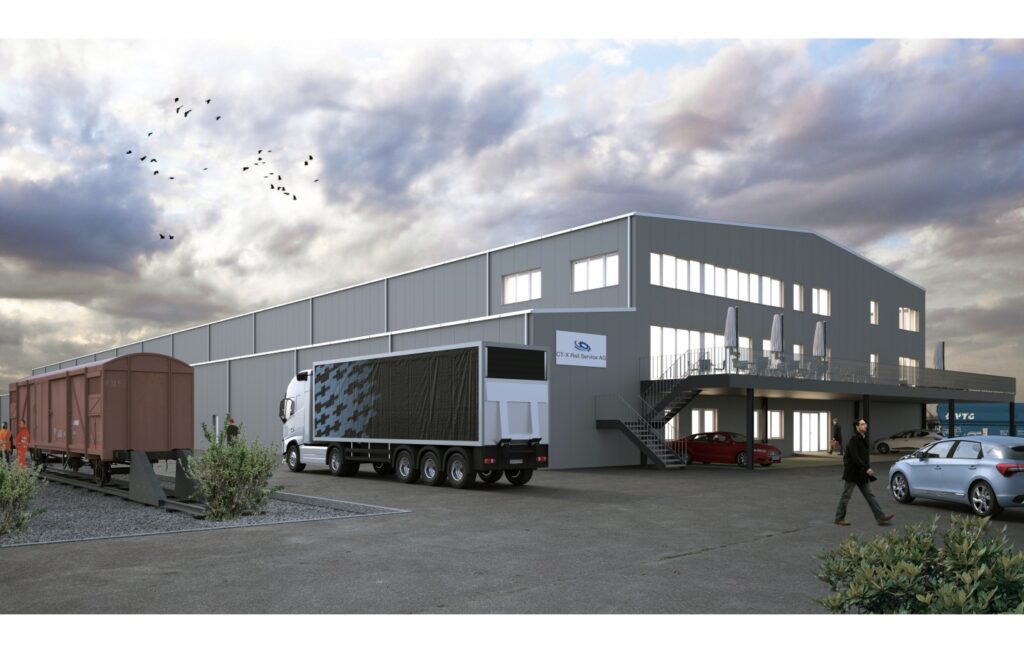
CT-X Rail Service AG: Digitizing Complex Customer and Service Processes
The digitization of service, maintenance, and business processes lays the foundation for better management of customer requirements, projects, and business workflows.
ANG | SAP Platinum Logo

SAP Business One with ANG

SAP Business One Expertise for Sales That Delivers More

As an SAP Platinum Partner, ANG combines in-depth SAP Business One expertise with a comprehensive understanding of business processes. From the initial consultation through implementation and integration to ongoing development, we support you with our experience and personalized service.

Consulting & Process Design

We analyze your workflows and customize SAP Business One to fit your processes and requirements.

Support & Further Development

We integrate SAP Business One with other systems and automate processes and workflows.

Implementation & Optimization

We implement SAP Business One in a structured manner and further develop existing solutions in a targeted way.

Integration & Automation

We provide long-term support for your solution and continue to develop SAP Business One in line with your requirements.

What is a CRM system?

A CRM (Customer Relationship Management) system consolidates relevant information and processes related to customers, prospects, and sales opportunities. This includes contact information, activities, appointments, opportunities, quotes, and other information throughout the sales process.

A modern CRM goes beyond simply managing customer data. Sales teams can document customer interactions, plan next steps, track sales opportunities in a structured way, and monitor the progress of their pipeline. This creates a central foundation for systematic and traceable customer management.

With SAP Business One, CRM and sales are directly integrated with operational business processes. A sales opportunity can be turned into a quote, a quote into an order, and that order into further order processing. This ensures that customer and sales information remains available throughout the entire process.

CRM and Sales: Intelligent Pricing in SAP Business One with AI

From Concept to Implementation

Get More Out of Sales and CRM with SAP Business One

Expand SAP Business One with intelligent solutions for field service, CRM, quote generation, and order processing. This will help you reduce manual work and create end-to-end sales processes—from the initial customer meeting to the order.
AI & Sales
Intelligent Quote and Price Calculation

Learn how companies can use AI-powered pricing to optimize their quoting processes, make more informed pricing decisions, and respond more quickly to market changes.

AI Mail-to-Order
From the email straight to the order

AI analyzes incoming emails, identifies relevant content, and automatically transfers inquiries to SAP Business One. Information is processed in a structured manner, and follow-up steps are initiated immediately.

ANG Speak2Activity
Never have to enter visit reports manually again

Easily capture conversation details, agreements, and tasks using voice commands and automatically document them in SAP Business One. Less follow-up work, more time for customers.

ELO Digital Office​
Intelligently Connect Sales Documents​

Digitize quotes, contracts, and customer files on a single platform. Information is available at any time and supports seamless processes across sales, service, and customer support.

ANG | 001 Alexej on leave e1731680251740

Frequently Asked Questions About SAP Business One Sales & CRM

Yes. SAP Business One supports key CRM and sales processes related to customers, prospects, contacts, activities, and sales opportunities. The advantage lies in the direct integration of this information with other ERP processes.
Among other things, SAP Business One supports the management of business partners and contacts, sales activities, and opportunities, as well as integration with quotes and other sales processes. This allows customer information and sales processes to be mapped onto a common database.
Sales opportunities can be recorded in a structured manner in SAP Business One and assigned to different sales stages. This makes it possible to track the progress of an opportunity from its initial potential through to closure.

Yes. Sales activities such as phone calls, appointments, and tasks can be documented, scheduled, and linked to customers or prospects. This creates a traceable history of customer contacts.

Yes. SAP Business One links quotes to the downstream sales and order processes. This allows business information—from the quote through the order and delivery to the invoice—to be utilized within a single, integrated process chain.
Yes. SAP Business One supports different price lists, pricing structures, discounts, and customized business partner terms. This allows prices and terms to be integrated directly into sales processes.

SAP Business One is designed specifically for small and medium-sized businesses that do not view CRM and sales in isolation, but rather want to integrate them with order processing, inventory, service, purchasing, and finance within a single ERP system.

SAP Business One can serve as a data foundation for advanced AI and automation scenarios. Depending on the specific use case, it can be used, for example, to provide information more quickly, automate processes, or utilize data for additional analyses.

Get more out of your customer and sales data.

Would you like to manage customer information centrally, systematically track sales opportunities, and better integrate sales and order processing?

Together, we’ll analyze your existing sales processes and show you how SAP Business One CRM and Sales can be effectively integrated into your business processes.